
Airalo: eSIM for travel & data
AiraloTravel & Local
4.65.12K Reviews
- Version
- 2.31.0
- Installs
- 10.00M
- Age Rating
- Everyone
Screenshots

Our Review of Airalo: eSIM for travel & data
 Analysis by Appyee
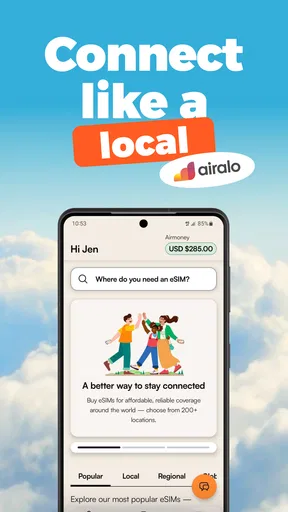
Travel connectivity is one of those problems that only feels simple until you land somewhere unfamiliar. You need maps, messages, translation, transport apps, booking confirmations, and sometimes a quick call home, yet airport Wi-Fi can be crowded and roaming can be difficult to understand. I tested Airalo as a travel and local app built around buying and managing an eSIM, and my overall impression is that it makes the preparation side of mobile data much less stressful. The app is free to install, while the data plan itself is selected separately inside the service.
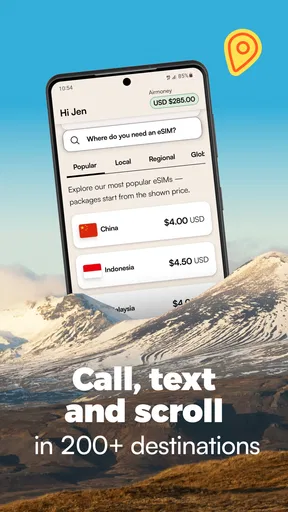
What I like most is the timing. Instead of waiting in an airport shop or searching for a physical SIM after landing, I can arrange connectivity before the trip and keep my regular SIM available for other needs when my phone supports that setup. That does not make every travel situation effortless, but it gives the process a clearer shape: choose a destination, select a plan, install the eSIM, and manage it from the same place. For a traveler who values convenience more than squeezing out the absolute lowest possible cost, that is a meaningful advantage.
How Airalo feels before and during a trip
I’ll focus on the small decisions that make the experience feel manageable: checking the phone before departure, choosing when to install the travel line, and keeping a backup route to instructions. Those habits matter most once a trip gets busy, and they lead naturally to a closer look at what the app lets me control.
Quick preparation matters more than flashy design
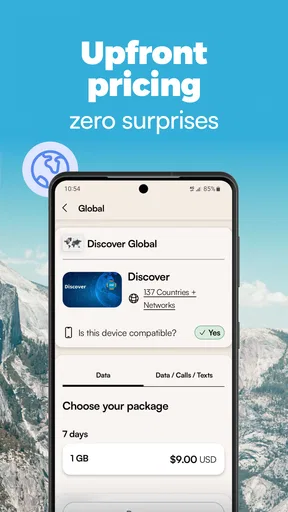
The app comes from Airalo and sits in the Travel & Local category. Its central job is deliberately focused: help me buy and manage travel eSIM data, including plans with fixed allowances and options described as unlimited. I do not need a complicated dashboard to understand that purpose. The useful part is having the purchase and management workflow together rather than jumping between a carrier website, an email, and the phone’s network settings.
In my experience, the perceived speed of an app like this is less about animation and more about how quickly I can reach a sensible decision. Airalo feels most useful when I already know where I am going and want to compare the available destination choices. The important performance expectation is therefore practical: the app should help me prepare without making the planning stage feel like another travel task. It is not an entertainment app that needs constant high-speed interaction, so a calm, understandable flow matters more than visual effects.
A good workflow is to install the app while I still have dependable Wi-Fi, browse the destination options, and complete the eSIM setup before leaving home. I would not wait until I am standing beside a baggage carousel with a nearly empty battery. Even when the app itself opens normally, eSIM installation and activation can involve phone settings and network conditions outside the app. Preparing early gives me time to read the instructions carefully and restart the device if the phone requests it.
One useful but easy-to-miss habit is separating buying the plan from actually using mobile data. I can purchase ahead of time, but I still need to make sure the eSIM is installed and selected correctly in the device’s cellular settings. Travelers often assume that a successful purchase automatically means the phone has switched to the new connection. I would check the line selection, mobile-data choice, and roaming-related setting on the travel line before relying on it for navigation.
What happens when the phone is under pressure
The heavy-use moments are usually not inside the app itself. They happen when I arrive, turn on the travel line, open maps, send photos, check a booking, and message several people at once. Airalo can simplify access to data, but it cannot turn a weak local signal into a strong one. The experience will still depend on the destination network, the phone’s eSIM support, and the plan I chose.
For ordinary travel tasks, an eSIM is a sensible match. Text-based directions, ride details, translation, email, and messaging generally do not require the same data intensity as long video calls or repeated high-resolution uploads. If I expect to stream constantly, share a hotspot with a laptop, or upload a large collection of photos every evening, I would examine the plan conditions and allowance carefully rather than assuming that an “unlimited” label removes every practical limitation. The word can be attractive, but my actual experience will still be shaped by network capacity and the destination.
A realistic example is a short arrival day in a new city. I leave the airport, use a map to find the train platform, open a reservation email, message my accommodation, and take a few photos for family. In that situation, the value is not spectacular speed; it is avoiding the awkward pause while I search for public Wi-Fi. Airalo is especially helpful when the first few hours of a trip are important and I want connectivity immediately rather than after I reach a hotel.
There is also a trade-off for people who use their phones as a full work setup. If I need stable video meetings, cloud backups, or a laptop connection throughout the day, I would treat the app as one part of the solution rather than a guarantee. A local carrier plan, hotel connection, or dedicated hotspot may be better for sustained heavy use. Airalo is strongest when I need flexible travel data for a phone, not when I expect it to replace every fixed internet connection.
Stability, recovery, and the moments that need patience
Reliability here has two layers. The first is the app’s ability to let me find and manage a plan. The second is the eSIM’s ability to connect through a supported local network after installation. Those layers should not be confused. If the app is available but the phone has not selected the travel line, the problem may be configuration rather than app performance. If the line is selected but service is weak in a rural area, the issue may be coverage rather than the purchase process.
My preferred recovery routine is simple. I first confirm that the travel eSIM is enabled, then check that it is the chosen line for mobile data. I would also verify that the phone has a connection in the current location, briefly toggle the line or airplane mode if appropriate, and restart only when necessary. The key is not to delete the eSIM in frustration. Removing it can turn a temporary connection problem into a more complicated setup problem, especially when I am away from reliable Wi-Fi.
This is one of the most important practical limitations: an eSIM is not as physically obvious as a plastic SIM. With a physical card, I can remove it, inspect it, and replace it. With Airalo, I need to pay attention to the phone’s line labels and settings. That is manageable, but travelers who dislike changing network settings may find the process less comfortable than visiting a carrier shop and asking someone to install a local SIM.
I also recommend keeping the app and any installation information accessible before departure. If I wait until the destination connection is unavailable, I may have fewer options for troubleshooting or downloading instructions. Preparation improves perceived reliability more than repeatedly reopening the app. That is a broader lesson with travel eSIMs: the service is most dependable when the setup is treated as part of trip planning, not as an emergency purchase after landing.
Device limits are more important than the app’s simplicity
Airalo is available as a free app for Everyone, and its current version is 2.26.0. The listed minimum operating system is 10, which makes the software requirement fairly approachable for compatible devices. However, the operating-system requirement is only one piece of the puzzle. The phone itself must support eSIM use, and support can vary by model, region, carrier status, or hardware configuration.
Before buying, I would check the exact phone model rather than relying only on the brand name. Two phones that look similar can differ in eSIM support. I would also confirm that the device is not restricted in a way that prevents using another network. This check is more valuable than choosing a plan quickly, because a perfect destination plan is useless if the handset cannot install or use it.
Dual-SIM users should think through which line handles calls, texts, and mobile data. I would label the travel line clearly, keep the regular line available only if I understand how it may incur roaming charges, and make the travel eSIM the deliberate data choice when appropriate. This setup is convenient, but it requires attention. A careless default selection can send data through the wrong line, while turning off the regular line completely may interfere with receiving important messages.
Battery use is another practical consideration, although the app itself is not something I would expect to run continuously. The demanding part of a travel day is usually the combination of screen brightness, navigation, camera use, and a weak signal. I would download offline maps where possible, carry a power bank, and avoid judging the service solely by battery behavior during a long day of navigation. The eSIM provides access to data; it does not reduce the phone’s normal travel workload.
Where it beats the usual alternatives
The traditional alternatives each have a place. Roaming through my regular carrier is often the simplest option because nothing new needs to be installed, but it can be expensive or unclear depending on the destination and plan. Buying a physical local SIM may offer good value and sometimes a local number, yet it requires finding a shop, handling a tiny card, and possibly dealing with language or registration steps. Airport Wi-Fi is useful for a first message, but it is not a dependable connection for moving around the city.
Airalo sits between those choices. It is more convenient than hunting for a physical SIM and more travel-focused than relying on public Wi-Fi. It is also less universal than ordinary roaming because the phone must support eSIM and the setup must be done correctly. For a short holiday, a city break, or a trip across several places where I want to arrange data in advance, that balance makes sense.
I would skip it when I need a local phone number as the main purpose of the purchase, when my device cannot use an eSIM, or when a trusted local carrier offers a clearly better plan for long-term, high-volume use. I would also hesitate if I am uncomfortable troubleshooting phone settings without help. The app reduces friction, but it does not remove every technical decision.
Who gets the most value from it
The best match is a traveler who wants mobile data quickly, prefers planning before departure, and uses a modern compatible phone. It is particularly practical for people who rely on maps and messaging during arrival, move between destinations, or do not want to remove their regular SIM. Families may also appreciate the ability to prepare each traveler’s connection separately, although each device still needs its own careful setup.
Business travelers can benefit when they need a predictable way to get online for short tasks without visiting a shop. I would still keep a backup plan for an important meeting, because a travel eSIM cannot control congestion, indoor reception, or every local network condition. The app is a convenience layer, not a substitute for checking the demands of a critical workday.
Airalo has grown into a widely used travel utility, with an average rating of 4.5 from around 181 thousand ratings and more than 10 million installs. Those figures suggest that the idea has reached a broad audience, but they do not remove the need to check compatibility and destination details for my own trip. Popularity can reassure me that the concept is established; it cannot predict the signal in the exact hotel room or train route I will use.
My performance verdict after weighing convenience against control
I see Airalo as a strong preparation tool rather than a magic connectivity button. Its speed is most valuable when it shortens the path from “I need data abroad” to “my travel line is ready.” Its stability depends on a successful installation and the local network. Its resource demands are modest in the context of normal travel use, while the real strain usually comes from navigation, media, and weak reception. Recovery is possible, but it is easier when I prepare before leaving and avoid deleting the eSIM during troubleshooting.
The free app itself is approachable, and the Everyone content rating makes it suitable for a broad audience. I like that the service focuses on a very specific travel problem instead of trying to become a general social or communication platform. The main weakness is that the convenience can make the technical steps look simpler than they really are. I still need to verify device support, choose the right data line, and understand what kind of usage my trip will demand.
My recommendation is straightforward: if I were advising a friend with a compatible phone who wants data ready on arrival, I would suggest trying Airalo and setting it up before the flight. I would not recommend buying blindly, relying on it as the only connection for mission-critical work, or choosing it when a local long-term plan is clearly better. Its real strength is reducing arrival-day friction while keeping the decision in the traveler’s hands.
For me, that is enough to make it a useful addition to a travel toolkit. It does not replace common sense about coverage, battery, device compatibility, or backup access. What it does well is turn an otherwise inconvenient part of international travel into a planned step that I can handle before the trip becomes hectic. That practical improvement is why I would keep it ready for future journeys.
Privacy and Permissions
See what permissions an app requests and how it handles your data.
- Location
- approximate location (network-based), precise location (GPS and network-based)
- Phone
- read phone status and identity
- Photos/Media/Files
- read the contents of your USB storage, modify or delete the contents of your USB storage
- Storage
- read the contents of your USB storage, modify or delete the contents of your USB storage
- Camera
- take pictures and videos
- Microphone
- record audio
- Device ID & call information
- read phone status and identity
- Other
- view network connections, full network access, change your audio settings, control Near Field Communication, run at startup, control vibration, prevent device from sleeping
Verdict
Strengths of Airalo: eSIM for travel & data
- Quick eSIM installation without visiting a store
- Coverage available across many countries and regions
- Flexible plans for short trips and extended stays
- Useful data usage tracking inside the app
- Can keep your physical SIM active for calls and texts
Limitations of Airalo: eSIM for travel & data
- Most plans are data-only and lack a local phone number
- Prices may be higher than local SIM cards in some destinations
- Activation can depend on having internet access initially
- Unused data may expire quickly on shorter plans
- Compatibility and carrier support vary by device and country
Similar Picks in This Category
View All
Google Maps
Google LLC3.4

Google Maps Go
Google LLC4.1

Booking.com: Hotels & Travel
Booking.com Hotels & Vacation Rentals4.8

Google Earth
Google LLC3.8

Skyscanner Flights Hotels Cars
Skyscanner Ltd4.8

trivago: Compare hotel prices
trivago N.V.4.4
Frequently Asked Questions
What is Airalo, and how does it work?
Airalo is a digital eSIM marketplace that lets travelers purchase mobile data plans for destinations around the world without visiting a physical store or changing their regular SIM card. After selecting a country, region, or global package in the app, you install the eSIM on a compatible, unlocked phone and activate the plan according to the instructions. Your device then connects to a supported local network when you arrive.
Is my phone compatible with Airalo eSIM plans?
Airalo requires a device that supports eSIM technology and is not locked to a specific carrier. Many recent iPhone, Samsung Galaxy, Google Pixel, and other Android models are compatible, but support can vary by country, model number, and carrier version. Before buying, check Airalo’s device compatibility list and confirm that your phone has an available eSIM slot. Some regional versions, especially certain devices sold in China, may not support eSIM.
Does Airalo provide phone calls and SMS, or only mobile data?
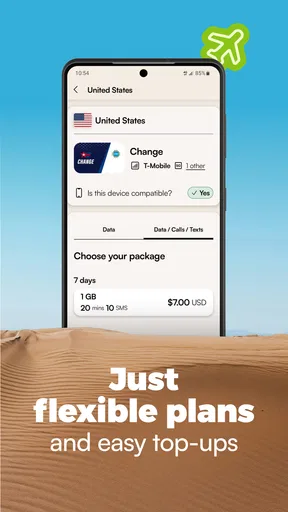
Most Airalo plans are data-only, so they do not include a traditional phone number, standard voice calls, or regular SMS messaging. You can still communicate through WhatsApp, FaceTime, Messenger, Telegram, Skype, and other internet-based services. Some plans may offer calling or texting features, but availability depends on the specific package and destination. Review the plan details carefully before purchasing if you need conventional calls or SMS.
When should I install and activate my Airalo eSIM?
You can usually purchase and install an Airalo eSIM before traveling, which is convenient because you can prepare while connected to reliable Wi-Fi. Activation rules differ between plans: some begin when the eSIM connects to a supported network, while others start immediately after installation. Read the package’s validity and activation information in the app, and avoid activating too early if the plan’s validity period starts upon installation.
What happens if my Airalo data does not work abroad?
If your Airalo connection is not working, first confirm that the eSIM is enabled, selected for mobile data, and allowed to use data roaming when required by the plan. Check the APN instructions, restart the phone, and make sure you are in an area covered by the selected network. Also verify that your plan has not expired or used all its data. Airalo provides in-app support and troubleshooting guidance if these steps do not resolve the issue.
